SDHC vs SDXC: Key Differences in Capacity, Format, and Compatibility
Quick Answer:
The main difference between SDHC and SDXC is capacity, file system, and device compatibility. SDHC cards usually support 4GB to 32GB and use the FAT32 file system, while SDXC cards start from 64GB and use the exFAT file system.
In simple terms, SDHC is often used for standard-capacity devices and older equipment, while SDXC is better for high-capacity storage, large files, and modern recording applications. For B2B buyers, the right choice depends not only on capacity, but also on the host device, file size, speed class, operating environment, and long-term supply requirements.
SDHC vs SDXC Comparison Table
| Feature | SDHC | SDXC |
|---|---|---|
| Full Name | Secure Digital High Capacity | Secure Digital eXtended Capacity |
| Capacity Range | 4GB to 32GB | 64GB to 2TB |
| File System | FAT32 | exFAT |
| Single File Size Support | Usually limited by FAT32 file size restrictions | Better for large files and long video recordings |
| Best For | Standard storage needs, older devices, compatibility-focused applications | High-capacity storage, HD / 4K video, modern devices |
| Device Compatibility | Works with SDHC-compatible and many newer SDXC-compatible devices | Requires SDXC-compatible devices |
| Typical B2B Use Cases | POS systems, industrial controllers, embedded devices, basic monitoring equipment | Surveillance recording, drones, high-resolution cameras, industrial data logging |
| Buying Consideration | Check device support, capacity limits, and speed class | Check exFAT support, required capacity, and sustained write performance |
How to identify SD, SDHC vs SDXC?
When it comes to memory card, although it is a small thing that everyone is familiar with, there is a lot of knowledge. Many people think that buying a memory card just needs to confirm “capacity” and “brand”, but in fact, the memory card specifications have a lot of know-how. Even one SD memory card is divided into several types. Whether it is used for smart phones, tablets, digital cameras or monocular cameras, there are some points that must be taken note! Do you know the difference between SDHC vs SDXC for SD card and micro SD?

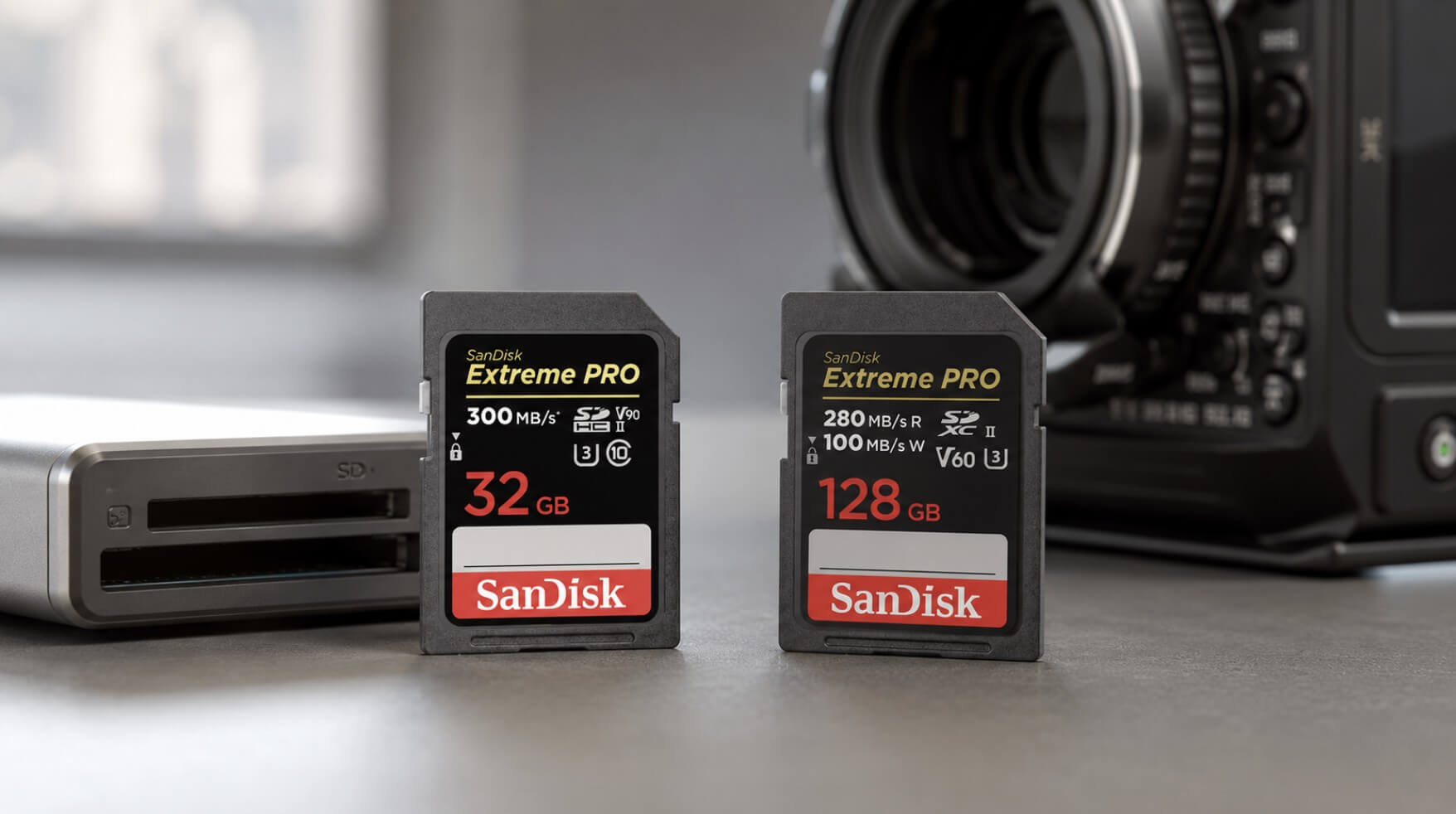
It can be clearly seen from the above table that SD, SDHC and SDXC are mainly in the difference in capacity. The capacity below 2GB is called SD card, and 4GB~32GB is called SDHC . As for 64GB or more, it is called SDXC. About memory card, the main difference is this, in other words, you don’t mind about the term SDHC or SDXC, just choose the capacity just fine!

(Image credit: Dellwa)
Understanding the Differences: SDHC vs. SDXC Cards
When it comes to choosing between SDHC and SDXC cards, understanding their operational differences and physical compatibility is crucial. Let’s delve into each aspect to help you make an informed decision.
Operational Differences
1. Capacity and Format:
- SDHC (Secure Digital High Capacity): Ranges from 4GB to 32GB. It’s perfect for everyday tasks like storing photos, videos, and music.
- SDXC (Secure Digital Extended Capacity): Offers a much broader range, from 64GB up to 2TB. This makes it ideal for storing high-resolution video footage, like 4K and 8K, and using in professional-grade cameras.
2. File System:
- SDHC: Typically uses the FAT32 file system.
- SDXC: Primarily formatted with the exFAT file system, supporting larger files.
3. Speed Classes:
Both SDHC and SDXC cards come in various speed classes determined by their read/write speeds. While both can achieve high speeds, SDXC cards generally offer more options for high-performance needs.
FAT32 vs exFAT: Why File System Matters
One of the most important differences between SDHC and SDXC is the file system. SDHC cards usually use FAT32, while SDXC cards use exFAT.
FAT32 is widely compatible with many devices, but it has a single-file size limitation. This may be acceptable for basic storage, POS systems, configuration files, or standard image files. However, it can become a limitation for long video recordings, high-resolution footage, or large industrial data logs.
exFAT, used by SDXC cards, is designed for larger files and higher-capacity storage. This makes SDXC a better choice for 4K video, s
Device Compatibility: Can SDHC and SDXC Cards Be Used Interchangeably?
Compatibility
SDHC and SDXC cards may look similar, but they are not always interchangeable. The key factor is whether the host device supports the card standard and file system.
In general, SDHC cards are more likely to work with older devices that support SDHC or newer devices that support SDXC. However, SDXC cards may not work properly in devices that only support SDHC, because SDXC cards use the exFAT file system and higher-capacity addressing.
Before placing a bulk order, B2B buyers should always confirm the supported card type, maximum capacity, file system, and speed requirements of the target device.
| Host Device Type | SDHC Card | SDXC Card |
|---|---|---|
| SD-only device | Usually not supported | Not supported |
| SDHC-compatible device | Supported | Usually not supported |
| SDXC-compatible device | Supported | Supported |
| Industrial or embedded device | Must confirm specification | Must confirm specification |
Handling and Durability
Both card types are designed to be resilient, with many offering features like waterproofing and shock resistance. Regardless, careful handling can prolong their lifespan and improve reliability.
Should You Choose SDHC or SDXC?
The best choice depends on the device, storage requirement, and application environment. SDHC is not always outdated, and SDXC is not always the best option. For B2B buyers, the right card should match the device specification and project requirement.
| Choose SDHC If… | Choose SDXC If… |
|---|---|
| Your device only supports SDHC | Your device supports SDXC |
| You need 4GB to 32GB capacity | You need 64GB or higher capacity |
| You want broad compatibility with older devices | You need to store large files or long recordings |
| The application uses small files or basic data storage | The application involves HD / 4K video or continuous recording |
| Your project focuses on cost-effective standard storage | Your project requires higher capacity and modern file support |
| You are sourcing for POS, industrial control, or embedded devices with fixed specifications | You are sourcing for surveillance, drones, cameras, or data-heavy applications |
SDHC vs SDXC for Business and Industrial Applications
In B2B applications, choosing between SDHC and SDXC is not only about storage capacity. Different devices may have different requirements for compatibility, file system, writing behavior, operating temperature, and long-term supply stability.
SDHC may still be suitable for many standard or legacy systems, while SDXC is often preferred for applications that require larger capacity, longer recording time, or heavier data writing.
Surveillance and Monitoring Systems
Surveillance and monitoring systems often require continuous writing, stable recording, and reliable data retention. For basic monitoring devices or systems with lower-resolution recording, SDHC cards may be enough if the required capacity is within 32GB and the device supports FAT32.
However, for longer recording time, higher-resolution video, or modern security systems, SDXC cards are usually the better option because they support larger capacity and exFAT file formatting. B2B buyers should also consider sustained write performance, endurance, and operating temperature when selecting cards for surveillance applications.
For surveillance projects, buyers should not choose cards based only on advertised speed. Continuous writing stability and endurance are often more important than peak speed.
Industrial Control Systems
Industrial control systems may use SD cards for firmware storage, machine configuration, system logs, or data backup. In many cases, SDHC cards are still widely used because the required file size is not large and the host device may have fixed compatibility requirements.
For newer industrial systems that generate larger logs or support advanced data collection, SDXC cards may provide better capacity flexibility. Before bulk purchasing, buyers should confirm the device’s supported card type, capacity limit, operating temperature, and required write behavior.
For industrial applications, long-term supply consistency is important. Buyers should consider whether the supplier can provide stable specifications, consistent batches, and suitable quality control.
POS Systems and Commercial Devices
POS systems and commercial devices often use memory cards for software storage, transaction records, system updates, or basic data backup. Since many POS devices do not require very large storage capacity, SDHC cards can be a practical choice when the system supports 4GB to 32GB cards.
SDXC may be considered if the POS device supports larger storage, multimedia content, or more complex software environments. However, compatibility should always be checked first, especially for older POS terminals or commercial devices with fixed hardware specifications.
For POS projects, buyers usually care about compatibility, stable supply, and cost efficiency more than maximum capacity.
Embedded Devices and Edge Equipment
Embedded devices often have specific storage requirements based on the operating system, firmware design, data logging frequency, and host controller limitation. SDHC cards may be suitable for compact embedded systems that require moderate capacity and stable compatibility.
SDXC cards are more suitable when the embedded device needs to store larger datasets, images, video clips, or continuous logs. For embedded applications, B2B buyers should verify the supported file system, boot compatibility, power stability, and long-term availability before selecting SDHC or SDXC cards.
In embedded projects, changing the memory card specification after product validation may create extra testing costs. This is why stable supply and consistent specifications are important for B2B buyers.
SDHC vs SDXC Application Guide
| Application | SDHC May Be Suitable When… | SDXC May Be Better When… | Key Buying Factors |
|---|---|---|---|
| Surveillance Systems | Basic recording, lower-resolution video, shorter storage time | Long recording time, HD / 4K video, large files | Sustained write speed, endurance, capacity, temperature |
| Industrial Control Systems | Firmware, configuration files, small logs, legacy equipment | Larger system logs, modern data collection, longer retention | Compatibility, operating temperature, batch consistency |
| POS Systems | Transaction records, software storage, basic backup | Multimedia content, larger software environment, more storage demand | Compatibility, cost efficiency, supply stability |
| Embedded Devices | Moderate storage, fixed device specification, compact firmware | Larger datasets, images, video clips, continuous logging | File system support, boot compatibility, long-term supply |
| Cameras / Recording Devices | Standard image storage, basic recording | High-resolution photo, HD / 4K video, large file transfer | Capacity, speed class, file size support |
| Drones / Edge Devices | Basic data storage or light-duty use | High-resolution video, mapping files, frequent data writing | Vibration resistance, sustained write, capacity, reliability |
Three memory card types classified with capacity:
SD Card-Secure Digital Card: below 2GB
SDHC Card-Secure Digital High Capacity Card: 4GB~32GB
SDXC Card-Secure Digital eXtended Capacity Card: 64GB~2TB
On the other hand, SD memory card is currently the most widespread micro-storage device, and the specifications are getting more and more advanced with the change rapidly technology. When the traditional memory card reaches 2GB, it is necessary to support more than 2GB in FAT32 format, so it is more than 2GB. The capacity defines the SDHC specification, so the 2GB or more memory cards that are purchased now are marked and named by SDHC! In other words, SDHC or SDXC is actually the difference in capacity!
Therefore, when you purchase a memory card, after selecting the capacity, the most important thing is “how to choose the speed”, and the speed is of course as fast as possible!
For the currently available memory cards, most people recommends that “at least buy Class 10”, but “strongly recommend to buy Class 3 (U3)” specifications, especially flagship smart phones, digital cameras. These devices require 4K high resolution video!
As for the purchase, you need to choose UHS-I or UHS-II. This depends on your device support. Usually UHS-I supports the most devices, UHS-II will be used in some higher-level videos. Appears on the device, but this is mainly for some professional-grade video equipment. The average user does not care too much about UHS-I or UHS-II, because this is for most consumer electronic devices, such as smart phones and digital cameras. It won’t cause much impact because it is the specification of the device, regardless of speed or capacity!
Are there more high-end SDXC cards compared to SDHC cards?
When comparing high-end SD cards, you’ll find a greater selection among SDXC cards than SDHC cards. While both SDHC and SDXC can achieve fast read and write speeds, it’s the SDXC cards that dominate the premium segment. SDHC cards generally occupy the basic to mid-range categories, offering fewer options for those seeking top-tier performance. So, for anyone in search of a memory card that excels in speed and advanced features, SDXC cards provide a more extensive range of high-end choices.
What is the distinction between Class 2, Class 4, Class 6, Class 10, and UHS-I and UHS-II ?
Now, Class 2, Class 4, and Class 6 will basically recommend skipping and not buying. The most basic is to buy Class 10, and even U3 level is better. If you upgrade in the future, it will be convenient for other devices to continue using it!
Speed will directly affect the precious time of data access. When you buy a 64GB memory card, the speed is only Class 6 (transmission rate 6M), and the same 64GB memory card, but the speed is U3 (transmission rate 30M ) Memory card, The difference in file access time is several times!
We often hear that many people just buy a memory card and insert it into a smartphone. The result is that the phone is unstable, or the files are often missing when taking pictures and videos. In fact, the main reason is due to the quality of the memory card!
Sourcing SDHC and SDXC Cards from a B2B Memory Card Supplier
Dellwa supplies memory products for B2B customers, including SD cards, microSD cards, USB flash drives, SSDs, and other storage solutions. For buyers comparing SDHC vs SDXC, Dellwa can help evaluate product options based on capacity, compatibility, performance requirements, application environment, and sourcing quantity.
Whether you need memory cards for POS systems, industrial equipment, surveillance devices, embedded systems, or OEM / ODM projects, choosing the right specification from the beginning can help reduce compatibility problems and improve long-term supply planning.
Contact Dellwa now to find the best memory solutions for your business!
Memory card related News: How to recognize false capacity between bulk memory card?
FAQs
Q1: What is the main difference between SDHC and SDXC?
A: The main difference between SDHC and SDXC is capacity and file system. SDHC cards usually support 4GB to 32GB and use FAT32, while SDXC cards start from 64GB and use exFAT. SDXC is generally better for large files and high-capacity storage.
Q2: Is SDXC better than SDHC?
A: SDXC is better when you need higher capacity, large file support, or 4K video recording. However, SDHC may still be a better choice for older devices, lower-capacity applications, or systems that only support SDHC cards.
Q3: Can I use an SDXC card in an SDHC device?
A: Usually no. Devices that only support SDHC may not read SDXC cards because SDXC uses a different file system and capacity standard. Always check the device’s supported card type before purchasing in bulk.
Q4: Can I use an SDHC card in an SDXC device?
A: In most cases, yes. SDHC cards can usually be used in SDXC-compatible devices, but users should still check device specifications, supported capacity, and speed requirements.
Q5: Which is better for 4K video, SDHC or SDXC?
A: SDXC is usually better for 4K video because it supports higher capacity and the exFAT file system, which is better for large video files. SDHC may be limited by FAT32 and its lower capacity range.
Q6: What should B2B buyers check before choosing SDHC or SDXC cards?
A: B2B buyers should check device compatibility, required capacity, speed class, UHS rating, file system, operating temperature, endurance requirements, packaging needs, MOQ, warranty, and long-term supply availability.