

Custom flash drives carry your logo, colors, packaging, and files, so one product works as storage, a branded gift, and a distribution medium. Businesses order bulk custom USB drives for trade shows, onboarding kits, software and firmware delivery, training material, and private-label retail. This guide covers the customization options, what to specify before you ask for a quote, how to evaluate a custom USB flash drive manufacturer, and the security and IT questions to settle before the drives reach users.
What You Can Customize
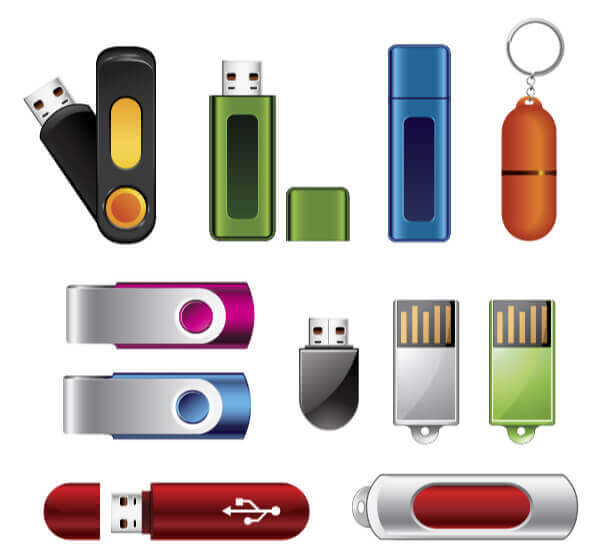
- Housing: swivel, capped, slide-out, compact, or keychain designs in plastic, metal, or wood. Metal looks premium and lasts; plastic is light and suits bright colors at a lower cost; wood suits an eco message.
- Logo and colors: logo printing on the housing and colors matched to your brand.
- Packaging: plastic boxes, paper sleeves, or gift boxes printed with your design, or plain bulk packing when the drives go into kits.
- Preloaded content: catalogs, presentations, videos, manuals, or software installers copied to every drive before shipment.
- Capacity and interface: the capacity your files need, with USB-A, USB-C, or both.
Flash drives are used again and again, so a branded drive keeps your name in front of the recipient long after an event. They also do practical work: IT teams use them to carry configuration files, recovery tools, and installers to machines that are offline or cannot reach the network.
What to Specify Before You Request a Quote
Start with the application, not a target price. A drive for event giveaways needs different validation from a drive that delivers firmware to field technicians. Give the manufacturer:
- The application and where the drives will be used.
- Capacity, interface (USB 2.0, USB 3.x; USB-A or USB-C), and housing type.
- Logo, label, and color requirements, with artwork files.
- Packaging format, barcodes, and any retail or import labeling.
- Files to preload, and whether they must be locked against changes.
- Order quantity, delivery date, and the expected rhythm of repeat orders.
USB 3.x drives cost more than USB 2.0 drives but copy large files much faster, and they still work in USB 2.0 ports. Choose USB 3.x when recipients copy videos or installers; USB 2.0 is often enough for documents and slides.
How to Evaluate a Custom USB Flash Drive Manufacturer
Supplier Checklist
- Real capacity: the delivered drives must hold their full stated capacity. Test samples with a full write-and-verify tool.
- Component consistency: the controller and flash in production must match the approved samples, and the supplier must tell you before it substitutes components.
- Logo durability: printing on metal or plastic must not rub off in normal use.
- Data loading at scale: preloading must be automated and checked, not copied by hand drive by drive.
- Samples and approval: samples that match the mass-production specification, and a clear sign-off before production starts.
- Timeline: production time for sample approval, the first order, and repeat orders, including seasonal peaks.
- Warranty and support: written warranty terms and a defined process for failed drives.
Common Procurement Risks
- Capacity mismatch between the quote and the delivered product.
- Silent component changes between the first and later shipments, which cause performance differences and warranty claims.
- Logo printing that wears off on metal or plastic housings.
- Manual data loading that does not scale to large orders and leaves some drives with missing files.
- Hidden costs: setup fees, customization charges, and freight that a low unit price does not show.
Questions to Include in Your RFQ
- Which product grade do you recommend for this application, and why?
- Which capacities, interfaces, housings, and packaging formats are available for repeat orders?
- Will the samples match the mass-production specification?
- Which packaging, labeling, barcode, and logo options can you prepare?
- What documentation can you provide for import, resale, or internal approval?
- How do you tell us about component substitutions before production?
- What is the minimum order quantity, and what lead time should we expect for samples, production, and repeat orders?
Security and IT Requirements
When custom drives carry company data or go to employees, check how they fit your IT environment:
- Compatibility: confirm that the drives work with your hardware, operating systems, and file formats, including older machines.
- Encryption: hardware-based encryption gives stronger protection than software-only encryption.
- Password protection: prevents access to the data if a drive is lost.
- Write protection: stops preloaded files from being deleted or changed.
- Usage policy: define which data may be stored on the drives, train users, and audit use.
Custom Flash Drives from Dellwa
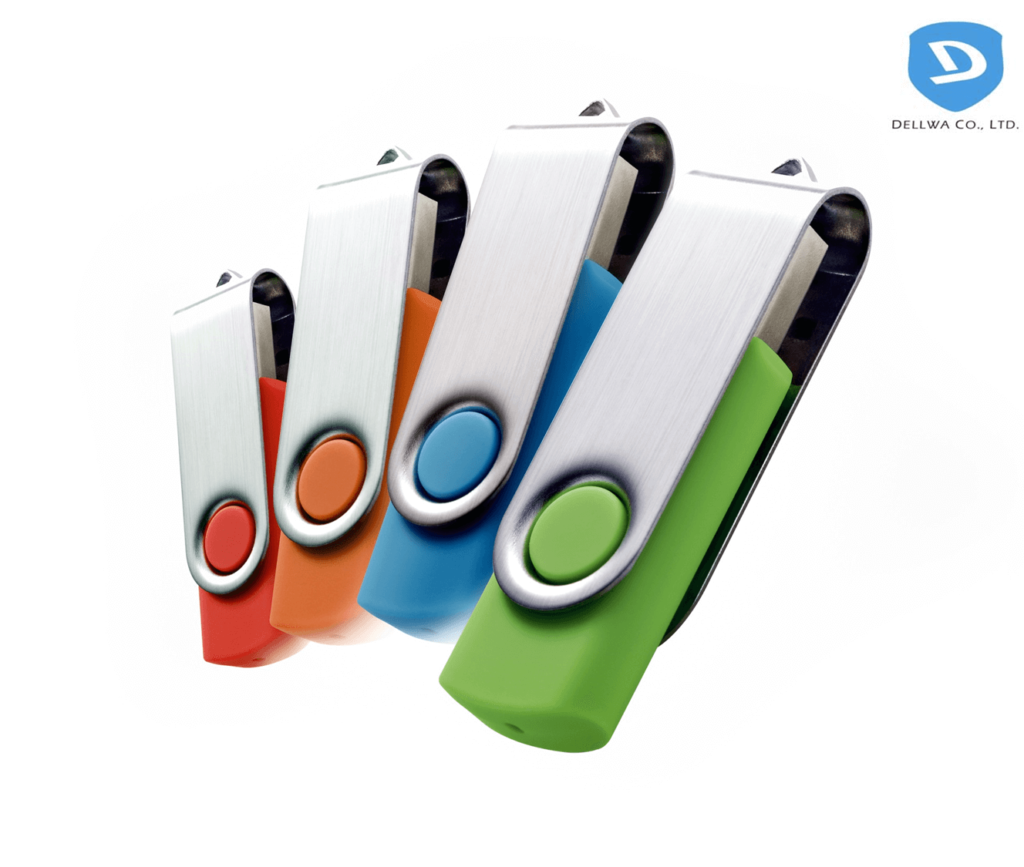
Dellwa offers OEM and ODM service for flash storage. We customize product packaging, product appearance, brand logo, and product instructions, and we can preload the files or programs your team needs. We also supply branded drives in bulk from SanDisk, Kingston, HP, and eFOX.
If you also buy memory cards, see our guides to bulk SD cards, SD card wholesale prices, and SD card manufacturers.
See our USB flash drive range, and read our guide to bulk USB drives for capacity, quality, and sample-testing advice. To start a custom order, contact us with the application, quantity, capacity, housing, logo, packaging, and delivery date.