
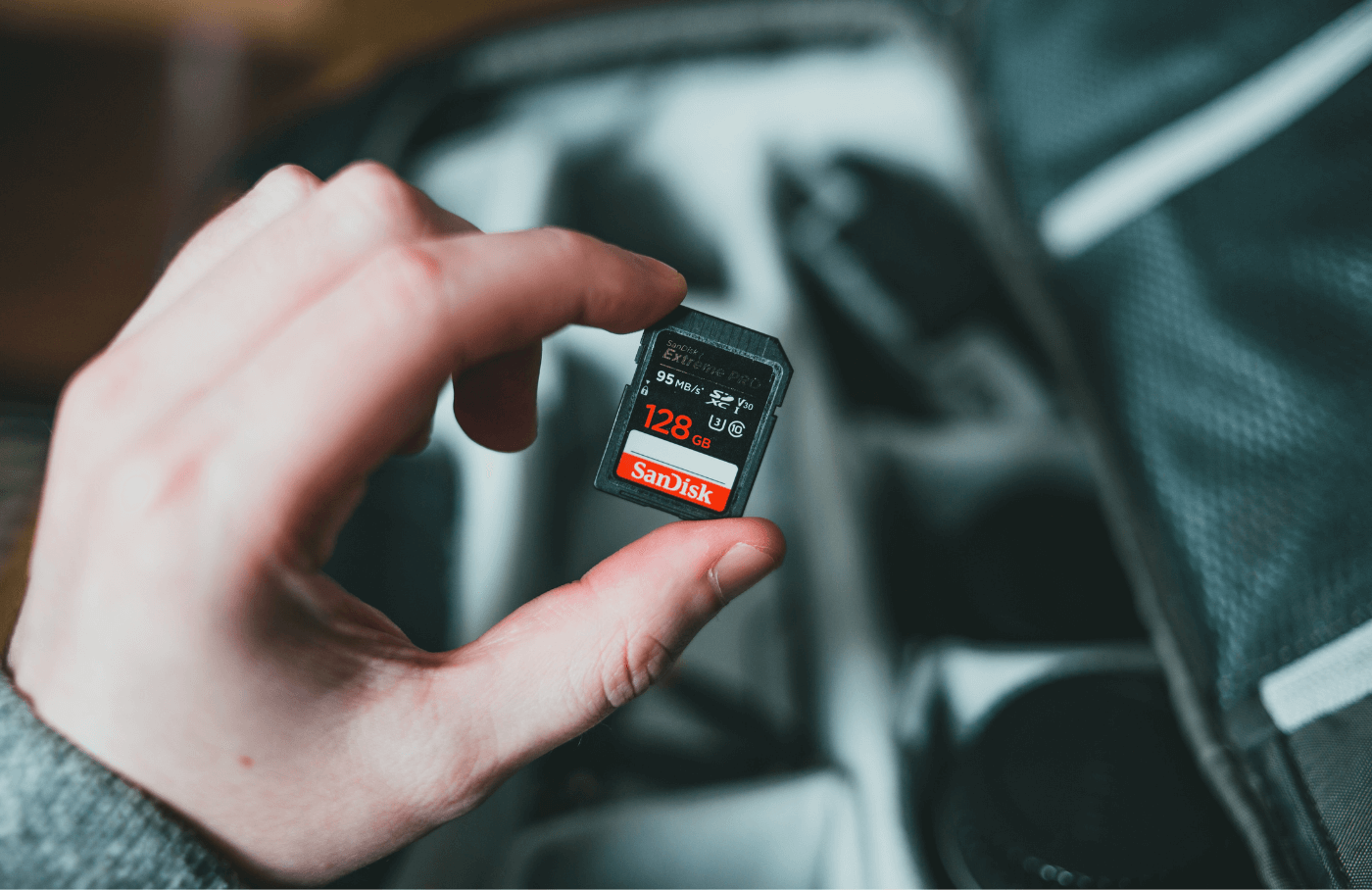
A fake memory card can look genuine, mount normally and report the capacity printed on its label, then corrupt your files once you write past its real flash size. This guide shows how to spot and test a fake memory card: the common types of fakes, what to check on the package and the card, which free tools measure real capacity and speed, and what to do if a card fails. A final section covers lot checks for resellers and OEM buyers before cards go into stock or into a device.
Fake cards turn up in many online shops, including large marketplaces. They may hold less data than labeled, run far below their rated speed, or stop working after a short time, and the data on them can become unreadable. Even legitimate sellers sometimes pass on counterfeit stock without knowing it, so testing on arrival matters as much as buying from a trusted source.
Why a Fake Card Reports the Wrong Capacity
Every SD and microSD card has two main parts: a controller and a flash memory chip. The flash chip has a fixed physical capacity, but the capacity your computer or camera displays comes from the controller. The operating system does not measure the card by writing and reading it; it trusts what the controller reports.
A counterfeiter reprograms the controller to report a larger size, for example an 8GB chip that shows up as 64GB. Files below the real capacity save and open normally. Once you write past it, new data overwrites earlier data or is never stored at all, and the card gives no warning. Fake cards of this kind are often called “expansion cards”.
Fake Memory Card Issues
Everything can appear to work at first. These are the common issues once a fake card is in use:
- Not enough space for your data
- Existing data starts being overwritten
- The card crashes or corrupts, locking you out
Types of Fake Memory Cards
Fake SD cards usually do not perform as advertised, and many are smaller than the stated size. These are the main types.
1. Fake Brand
Many cards are sold under a big brand name and at a brand price, but are made with inferior parts by an unknown manufacturer. Some are rejects resold outside the brand’s channel. These are the hardest to identify by eye, so confirm the serial number with the brand when in doubt.
2. Inflated Capacity
The card reports a large capacity when inserted into a computer, camera or recorder, but contains only a fraction of it, because the controller has been reprogrammed to report a different size. Avoid these cards: they cause data loss as soon as you fill them past the real size.
3. Down-Labeled Defective Cards
The reverse case also exists: a card labeled 1GB whose flash chip actually holds 2GB or more. The manufacturer found defective blocks on the chip and set the reported capacity lower so that the card avoids them. Such a card may not lose data, but it is built on a damaged chip and should not go into a device that needs reliable storage.
4. Lower Read and Write Speed
This one is common. A card may be labeled with a maximum of 95 MB/s read and 90 MB/s write, plus a V30 mark, which promises a minimum sustained write speed of 30 MB/s. When you copy a file with a fast card reader, you might see only 10-15 MB/s.
5. Invalid Cards
Some cards sold at extremely low prices by unknown sellers simply do not work. If you receive one, contact the seller, and alert the brand owner if you can.
Checklist to Spot a Fake Memory Card
Work through these checks in order. The test in step 3 is the one that settles the question.
Step 1. Packaging Inspection
- Check that the product specification matches the labels.
- Check for compliance symbols.
- Make sure the package carries warranty information and a proper UPC/EAN code.
- Make sure the company information is consistent across the packaging.
- Compare the package with the card inside. A package that says “Ultra” with a card that says “Extreme”, “Class 10” on the box and “Class 4” on the card, or “microSDHC” on the box and “SDXC” on the card means the product is not genuine.
Step 2. Memory Card Inspection
- Verify the required marks, such as the SD logo.
- Check that the brand logo and colors are correct. Compare the card with the photos on the brand’s official website; fakes often use odd colors and misaligned text.
- The card should carry a unique serial number.
- Some brands use watermarks, color-shift features or specific markings to set their products apart.
- The fonts should be identical to those on a genuine card.
Check the capacity class against the capacity. The SD Association defines the card types by capacity, so the marking must match the size printed on the card:
| Card type | Capacity range (SD Association) | File system |
|---|---|---|
| SD | Up to 2GB | FAT12, FAT16 |
| SDHC | More than 2GB, up to 32GB | FAT32 |
| SDXC | More than 32GB, up to 2TB | exFAT |
| SDUC | More than 2TB, up to 128TB | exFAT |
A 64GB or 128GB card marked “SDHC” (or plain “SD”) is fake, because SDHC stops at 32GB. Source: SD Association, capacity standards. For more on the two most common classes, see SDHC vs SDXC.
Read the model code on the back of microSD cards. Many fake microSD cards, whatever brand is printed on the front, carry the same model code on the back. The codes reported most often are MMB3R08BUACA-GE, MMB3R08GUACA-GE, MMB3D08BUACA-GE and MMB3D08GUACA-GE. The “08” in these codes points to the real capacity, 8GB. If you see one of them on a card labeled larger than 8GB, the card is fake. More generally, a model code that implies a smaller capacity than the label (for example “16” on a card sold as 128GB) is a warning sign.
Step 3. Memory Card Testing: The Most Important Step
- Prepare a fast memory card reader.
- Copy a mix of files (photos, video, documents) until the card is full to its labeled capacity.
- Eject the card safely, reinsert it, and open the files you saved first. If early files are damaged or missing, the card is smaller than labeled.
- Run a test tool to measure the real capacity and the read/write speed.
Testing tools
| FakeFlashTest | Disk Speed Test | CrystalDiskMark | H2testw | USB Flash Drive Card Tester | Fight Flash Fraud (F3) | SD Insight | |
| Real capacity test | Yes | Yes | Yes | Yes | |||
| Read / write speed test | Yes | Yes | Yes | ||||
| Available system | Windows (free) | macOS (free) | Windows (free) | Windows (free) | Windows (free) | Linux and macOS (free) | Android (free) |
SD Insight does not test capacity, but it reads the card’s identification data: manufacturer name, product name, production date and serial number. A genuine card from a major brand shows its maker; a fake often shows “Unknown”. Another Windows capacity tester, MyDiskTest, marks the real and the claimed capacity in different colors, so a card claiming 128GB that holds 16GB is easy to see.
Step 4. Lab Check: Read the Flash Chip ID
If the checks above are not conclusive, a lab with a NAND reader can read the chip ID and look up the chip’s data sheet. In one documented example, the chip read as K9GAG08U0M, which its data sheet lists as a 2GB part, while the card was labeled 1GB. The service-information view showed some pages filled with data and others filled with “FF”, which means the card was damaged and reprogrammed to a smaller size: the down-labeled type described above.
Guide to Identify a Real SanDisk Extreme Pro SD Card
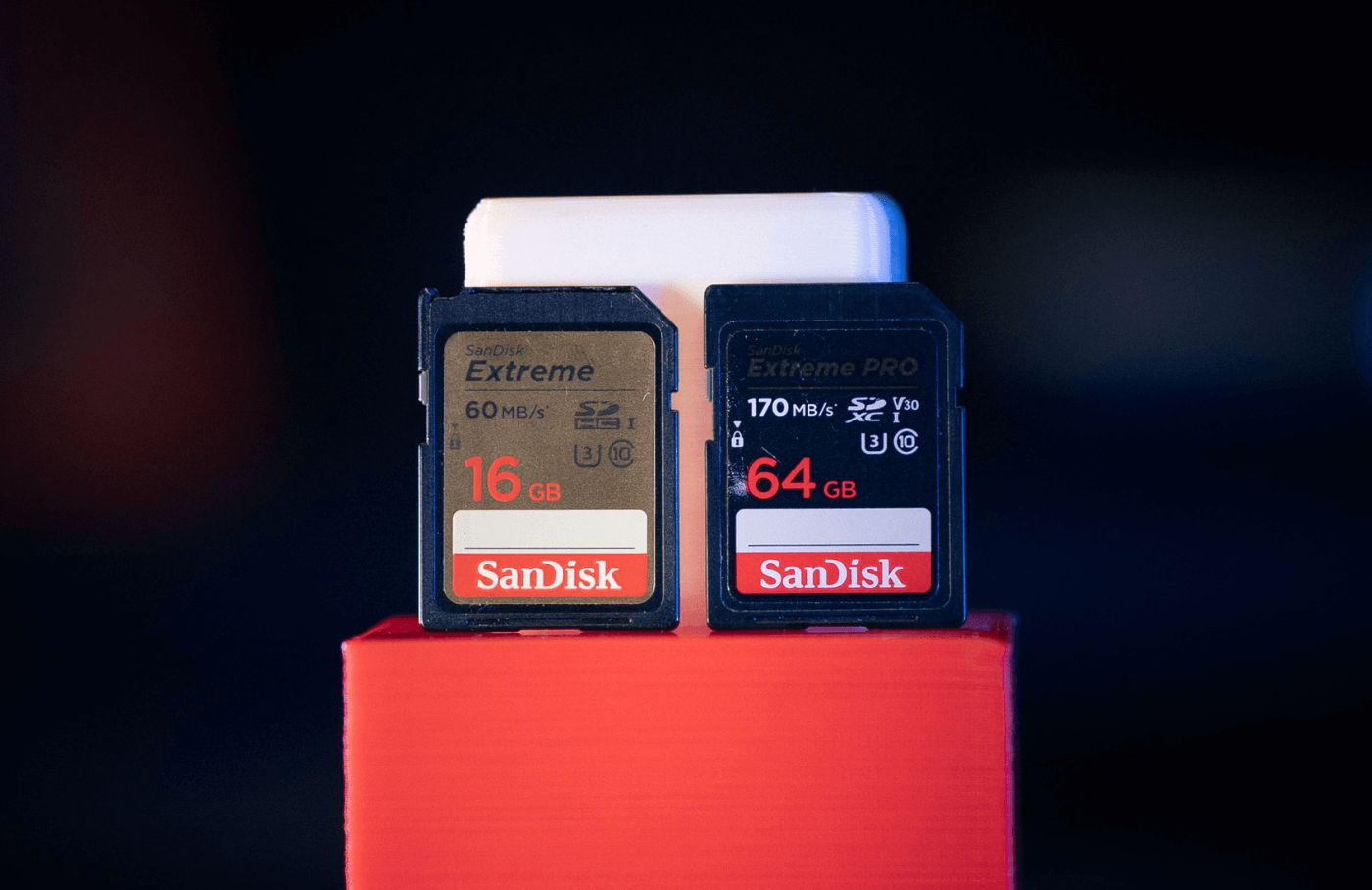
Photo by TheRegisti on Unsplash
SanDisk is the brand counterfeiters copy most. These are our observations on how to tell an original SanDisk card from a fake:
- The tab on the left should be gray/white and not yellow.
- A serial number should be engraved on the back.
- The fonts should be identical to the original card (fakes often use a different font depending on the card’s size).
- The speed figure should carry an asterisk (e.g., 95 MB/s*).
- A genuine card has a small asterisk next to the “GB” of the capacity; fakes often leave it out.
- On a V30 card, the V30 mark must be in the top-right corner.
- The front sticker must be aligned and free of defects such as washed-out, dull colors.
- The line under “SanDisk” should be clean and thin.
- The “i” in the SanDisk logo should have a square dot, not a round one.
- The plastic case should have a matte black finish without streaks.
The same capacity-class and model-code checks from step 2 apply to SanDisk microSD cards. For SanDisk Industrial SD and microSD cards, compare the card and its label with SanDisk’s current industrial data sheet: a capacity, temperature range or speed class that the data sheet does not list is a red flag.
Does “Made in Taiwan” or “Made in China” Mean a SanDisk Card Is Fake?
No. The country line alone does not prove a card genuine or fake. Fake cards have been found with “Made in Taiwan” on some batches and “Made in China” on others, next to the same counterfeit model codes. Judge a card by the capacity class, the model code, the package match and a full capacity test. If you buy in volume, ask your supplier for the country of origin on the shipping documents and verify serial numbers with the brand.
Checks for Resellers and OEM Buyers
A fake card costs a consumer some photos. In a reseller’s stock or inside a product, the damage is larger: returns, lost customers, and field failures. Industrial SD cards often sit inside navigation units, surveillance recorders, medical and healthcare devices, and automation equipment. An undersized card there works during bench tests, then silently loses logs or video once the device writes past the real capacity.
- Buy branded cards through the brand’s authorized distribution, and keep the invoices that show it.
- Pull sample cards from each incoming lot and run a full capacity test (H2testw or F3) and a speed test before the lot goes into stock or onto a production line.
- Check the package-to-card match and the capacity class on every sample.
- Give your own customers the checklist above, so that they can verify what they bought.
What You Can Do if You Got a Fake Memory Card
- Stop using it. Your files may be lost and the card may stop working.
- Write to the seller and list every point that shows the card is fake.
- Notify the brand’s authorized retailer or distributor about counterfeit sales by its resellers. This usually leads to the seller’s account being closed.
- If the seller refuses a refund, you can dispute the charge with your credit card provider, because a counterfeit was sold as genuine.
- Keep the card until you receive the refund, in case the seller asks for it back.
- After your refund, if the seller is still active on the platform, leave a review where you bought the card so that other buyers avoid the same trap.
Advice for Buying Genuine Memory Cards
These are our six rules for avoiding a fake memory card:
- Do not accept deals that are too good to be true. A high-capacity card far below the market price is almost always a fake.
- Replace memory cards every few years to reduce the risk of card failure.
- Buy from trusted sources. Dellwa is an authorized distributor of SanDisk, Kingston, HP and EFOX storage with over 15 years in the storage business, and supplies only genuine product. See SanDisk memory cards for bulk buyers and our full memory card range.
- Avoid refurbished or used memory cards.
- Buy only from authorized sellers.
- Check and test each card to make sure it is genuine.
Common sense is your best protection: buy from a trusted supplier, and test what you receive. If you are choosing a card for a specific device, our guide on how to choose the right SD card covers capacity and speed classes. For bulk orders of genuine branded or industrial cards, contact Dellwa.